Elementor  Crocoblock  The Plus  Premium Addons  ElementsKit  Ultimate Addons  Element Pack  Essential Addons  Unlimited Elements  PowerPack  HT Mega 

Timeline vertical / horizontal

Elementor Addons for "Timeline vertical / horizontal" - Widget Compared

Hey Elementors,

a timeline is the best way to show a story step by step: your company history, a project roadmap, an event schedule or simply “how we work”. Elementor has no timeline widget out of the box, but almost every bigger addon pack has one – vertical, horizontal or both.

I’ve picked the four timeline widgets I find most useful.

Crocoblock ²Vertical   Horizontal

... solution for Timeline vertical / horizontal Widget

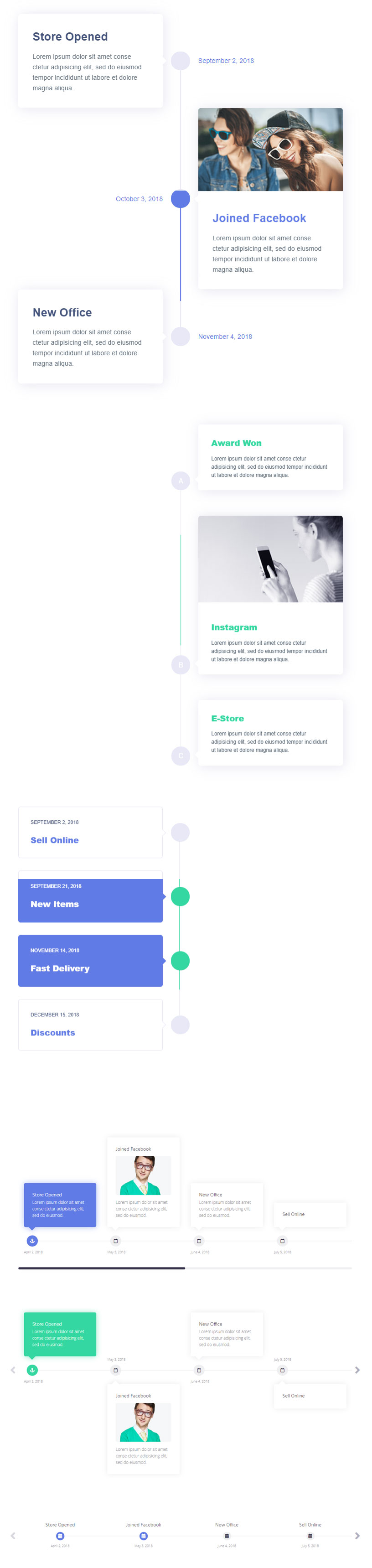
Crocoblock’s JetElements comes with two widgets for this: a vertical Timeline and a separate Horizontal Timeline. For each point you can add icons, images, dates and a description, and style the line and markers the way you like.

The horizontal version works like a small slider – perfect for roadmaps or project phases, while the vertical one is my choice for a company history.

Demo

... solution for Timeline vertical / horizontal Widget

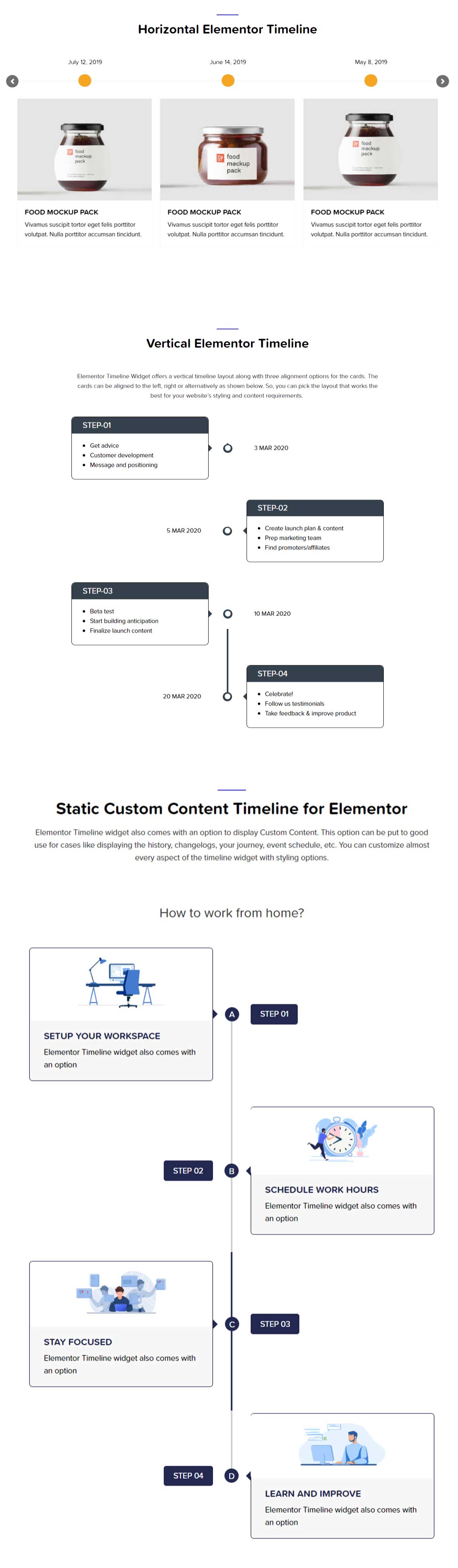
PowerPack has a well thought-out timeline widget with vertical and horizontal layouts. For each item you can add a date, title, text, image and icon, and style the connecting line and the markers.

What I like: you can also build the timeline from your blog posts. So a “news timeline” updates automatically as soon as you publish something new.

Demo

... solution for Timeline vertical / horizontal Widget

Element Pack offers several timeline styles, from a classic vertical line to a horizontal slider version. You can use custom content or pull in posts, and every element – line, dots, cards – can be styled individually.

A good choice if you need more than one look, for example a vertical history page and a horizontal roadmap on the same site.

Demo

... solution for Timeline vertical / horizontal Widget

ElementsKit’s timeline comes with a few ready-made presets that you can use directly or adapt. Icons, images and text are added in a few clicks, and the layout works vertically and horizontally.

If you want a nice timeline quickly and don’t need many special features, ElementsKit is a solid and easy option.

Demo

Conclusion

... of all demo pages for "Timeline vertical / horizontal" Widget

Crocoblock ²Vertical   Horizontal

If your timeline should update automatically from your blog posts, I’d take PowerPack or Element Pack. Crocoblock is great when you need both a vertical and a horizontal version, and ElementsKit is perfect for a quick, simple result.

My tip: keep each timeline entry short – a date, a title and one or two sentences. Long paragraphs make a timeline hard to read, especially on mobile.

Explore Further Widgets & Extensions

Categories