Hey Elementors,
typography effects like knockout text, circular text, drop caps or text that changes while scrolling can make headlines really stand out. Elementor gives you good basic typography settings, but no special effects.
These two addons add the most interesting options.
... solution for Advanced Typography Widget
This is a top collection of typography options for Elementor such as knockout text, magicscroll typography, text blend mode, arc typography, circular text, underline to hover styles, shadow 3d typography, vertical text & stroke typography options to create most advanced minimal structures.
... solution for Advanced Typography Widget
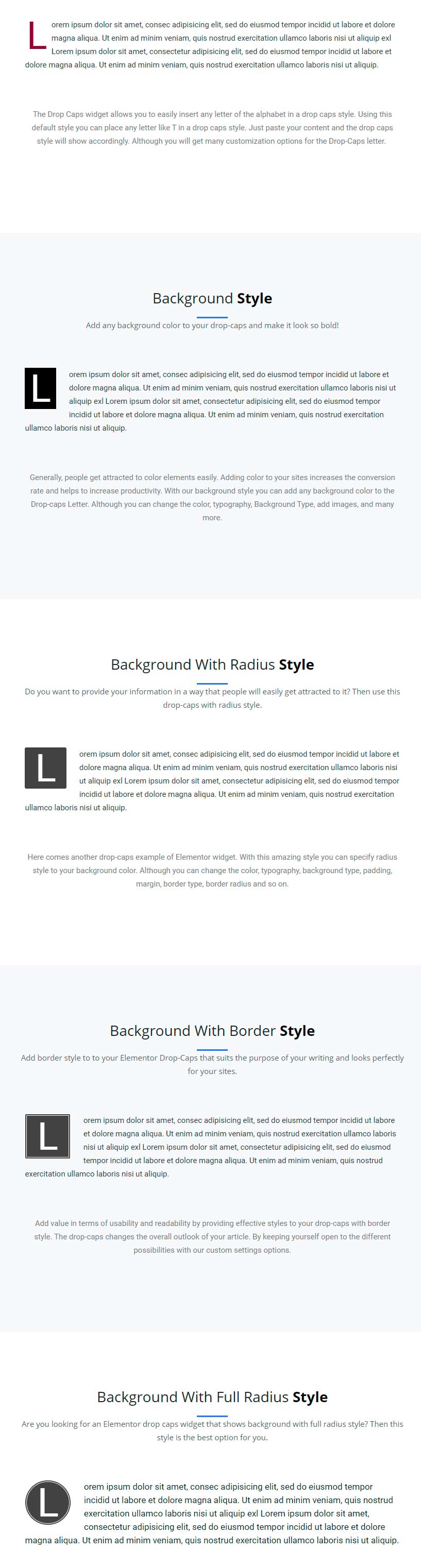
Drop Caps means showing a large capital letter at the start of a text to grab more attention from the visitor. Use ElementsKit drop caps at the starting of any story for your Elementor sites. Just drag & drop and you can further customize the color, content and much more.
For the most effects, I’d go with The Plus. If you just want classic drop caps for articles, ElementsKit is enough.
My tip: use special text effects for one or two headlines per page. Too many effects make a page hard to read.
Element Pack ⁵Demo1 Demo2 Demo3 Demo4 Demo5
Livemesh Addons ²Demo1 Demo2
HappyAddons ²Demo1 Demo2
PowerPack ²Demo1 Demo2
Ultimate Addons
Essential Addons
HT Mega ³Demo1 Demo2 Demo3
ElementsKit
Piotnet Addons
The Plus ²Demo1 Demo2
Crocoblock
Unlimited Elements ²Demo1 Demo2
Essential Addons
Element Pack
HT Mega
ElementsKit
WooLentor ²Demo1 Demo2
Essential Addons
HT Mega ³Lightbox Modal Notification
Dynamic.ooo ²Demo1 Demo2
HappyAddons ²Demo1 Demo2
Piotnet Addons
ElementsKit
Unlimited Elements
Essential Addons
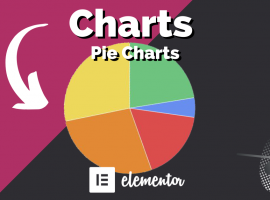
The Plus ²Piechart Progress_Bar
HappyAddons
HT Mega
Element Pack ²Progress_Bar Progress_Pie
Livemesh Addons
Piotnet Addons